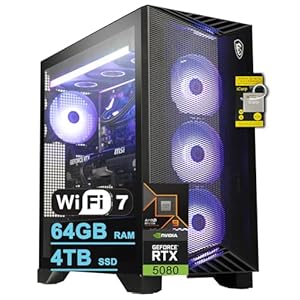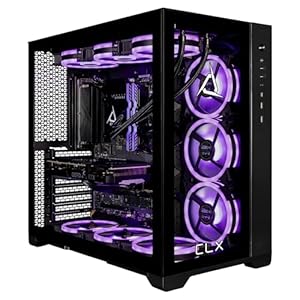

Ensuring your gaming PC stays cool is vital for optimal performance and longevity. With components generating heat during intense gameplay, implementing effective heat management strategies is key. From monitoring system temperatures to enhancing airflow and utilizing cooling accessories, there are various ways to keep your system running smoothly. By following these essential tips, you can safeguard your gaming PC from overheating and potential hardware issues, ultimately maximizing your gaming experience.
Monitoring System Temperatures
To ensure your gaming PC stays cool, regularly check the system temperatures using monitoring software. Monitoring software provides real-time data on how hot your components are running, allowing you to take necessary precautions before overheating occurs. By keeping an eye on your system temperatures, you can prevent performance issues, crashes, and potential hardware damage.
Most monitoring software displays the temperatures of your CPU, GPU, and other vital components. Pay close attention to the temperature thresholds recommended by your hardware manufacturer. If you notice any component consistently running hot, consider adjusting your cooling setup or reapplying thermal paste.
Some monitoring programs also offer customizable alerts, so you can be notified if temperatures exceed safe levels. This feature is especially useful for gamers who push their systems to the limit during intense gaming sessions. By staying vigilant and proactive with temperature monitoring, you can ensure your gaming PC runs smoothly and efficiently for years to come.
Improving Airflow Within the Case
Regularly checking and optimizing the airflow within your gaming PC case is key to managing heat effectively. Ensuring proper airflow helps dissipate heat generated by your components, keeping temperatures at optimal levels for performance and longevity.
To improve airflow, start by organizing cables to avoid blocking fans and air vents. Proper cable management not only enhances airflow but also makes it easier to access components for maintenance.
Additionally, consider installing additional case fans to increase air circulation within the case. Placing fans strategically, such as intake fans at the front and exhaust fans at the back, can create a more efficient airflow path. Upgrading to high-airflow fans can also make a significant difference in cooling performance.
Moreover, removing unused drive cages or bays can open up space for better airflow. By taking these steps to enhance airflow within your gaming PC case, you can effectively manage heat and optimize your system’s performance.
Regular Dusting and Cleaning
Maintain optimal airflow and prevent heat buildup in your gaming PC by regularly dusting and cleaning its components. Dust accumulation on your PC’s components, such as fans, heatsinks, and filters, can hinder proper airflow, leading to increased heat retention and potential performance issues. To combat this, use a can of compressed air to blow out dust from fan blades, heatsinks, and other crevices. Ensure your PC is powered off and unplugged before cleaning to prevent any damage.
Additionally, consider using a soft, anti-static microfiber cloth to wipe down the exterior of your PC case and remove any visible dust. Pay attention to vents and openings to maintain unobstructed airflow. Cleaning your PC every 3-6 months, depending on your environment, can significantly improve its cooling efficiency and overall performance. Regular maintenance not only helps in managing heat but also prolongs the lifespan of your gaming PC components. By incorporating these simple cleaning practices into your routine, you can ensure your gaming PC runs smoothly and efficiently.
Utilizing Cooling Accessories
Combat heat buildup in your gaming PC by exploring the use of cooling accessories to enhance its thermal management capabilities. Investing in high-quality cooling accessories can significantly improve your system’s cooling efficiency and overall performance. Consider adding extra case fans to increase airflow and dissipate heat more effectively. Look into purchasing a CPU cooler with better heat dissipation properties to prevent overheating during intense gaming sessions. Thermal paste is another essential accessory that helps transfer heat away from your CPU to the cooler efficiently.
Furthermore, utilizing a liquid cooling system can provide superior heat dissipation compared to air cooling solutions. This advanced cooling method circulates liquid through the system to absorb heat and transfer it away, keeping your components at optimal temperatures. Additionally, a laptop cooling pad can help improve airflow and prevent overheating for gaming laptops, especially during extended gameplay sessions. By incorporating these cooling accessories into your setup, you can ensure that your gaming PC operates smoothly and efficiently, even when handling demanding tasks.
Trending Products